


Engineering & Architecture
Starting at $149/user/mo
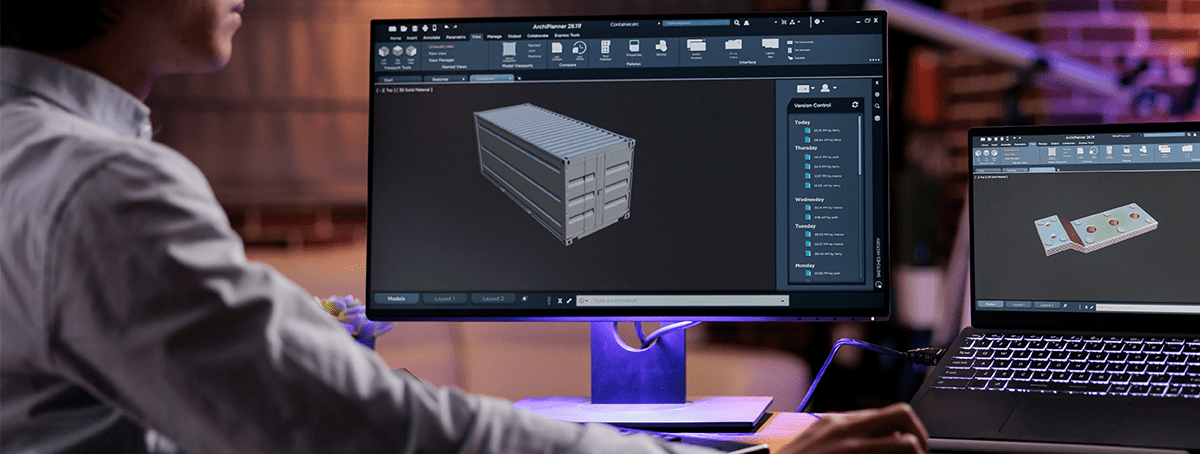
Engineering and architecture firms operate software that punishes underpowered hardware. AutoCAD crashes mid-session, Revit models slow to a crawl on shared drives, rendering queues back up on local workstations, and project files grow to sizes that make remote access impractical on a standard cloud setup. Officebridge solves this at the infrastructure level — provisioning GPU-accelerated, high-compute cloud instances sized specifically for the processing and memory demands of technical design workloads, with no compromise on performance and no dependency on local hardware.
Whether you run a multi-discipline engineering firm with teams across several offices, an architecture practice with remote project staff, or a specialist design consultancy where every billable hour depends on software that responds immediately — Officebridge gives your technical team the compute power they need, accessible securely from any device, managed entirely by our infrastructure team.
What We Offer
GPU-Accelerated Instances
- Dedicated GPU allocation per user or workstation
- Optimized for AutoCAD, Revit, and 3ds Max
- High-core CPU with configurable RAM up to 256GB
- NVMe SSD storage for large project file handling
- Consistent frame rates and render performance under load
Project File Management
- Centralized project file storage with version control
- High-speed internal file access within the instance
- Configurable shared drives per project or team
- Role-based file access restrictions per staff member
- Automated daily backups with 90-day retention
Remote Team Access
- Full desktop environment accessible from any device
- Low-latency remote sessions optimized for graphics
- Enforced 2FA on every user login
- Geo-locking and IP restriction per team or project
- Full session and access activity logging
Platforms & Software We Support
80+
Engineering Firms Onboarded
99.9%
Platform Uptime
48GB
Max GPU RAM Per Instance
Book a 30-min call with our team.
Frequently asked questions!
-
Will AutoCAD and Revit perform as well in the cloud as on a local workstation?
In most cases, yes — and often better. Our GPU-accelerated instances are provisioned with dedicated graphics memory and high-core CPU allocations sized to the performance requirements of your specific applications. Users on underpowered local machines typically notice an immediate improvement in responsiveness.
-
Can multiple team members work on the same project files simultaneously?
Yes. We configure centralized project file storage accessible to all authorized users within your environment, with file locking protocols to prevent conflicting edits and version control to track changes across your team.
-
How does remote access perform for graphics-intensive work like 3D modeling?
We optimize remote display protocols specifically for graphics workloads, minimizing latency and maintaining visual fidelity during complex model navigation and rendering previews. Performance depends on the user's internet connection, but most sessions are indistinguishable from a local workstation experience on a stable broadband connection.
-
Can I give external collaborators or contractors access to the project environment?
Yes. We support scoped external access — granting contractors or consultants access to specific project environments or file directories without exposing the rest of your infrastructure. Access is time-limited, 2FA-enforced, and fully logged.
-
What happens to large project files and render outputs — how much storage do we get?
Storage is configurable to your requirements. We provision NVMe SSD storage per instance and expand it as your project file library grows. There is no hard cap — storage is sized during onboarding and adjusted on request as your needs change.
Ready to Start?
Let's build a cloud workstation environment your design team can actually rely on.
Book a 30-min call with our team.